During the 'Wonderlust' event on September 12, Apple unveiled not only the most awaited smartphone series of the year, the iPhone 15 series, but also introduced the Watch Series 9 and Watch Ultra 2. The new Watch Series 9 and Watch Ultra 2 come with significant upgrades. Notably, Apple introduced a double tap gesture feature that enables a truly hands-free experience, utilising both the index finger and thumb. It’s worth noting that this feature is already available in older Apple Watch models -- sort of.
According to ZDNET, to use hand gestures, you need an Apple Watch Series 4 or newer, Apple Watch SE, or Apple Watch Ultra, or newer running on the latest version of WatchOS.
Also read: Apple Watch Series 9 and Watch Ultra 2: India price and new features
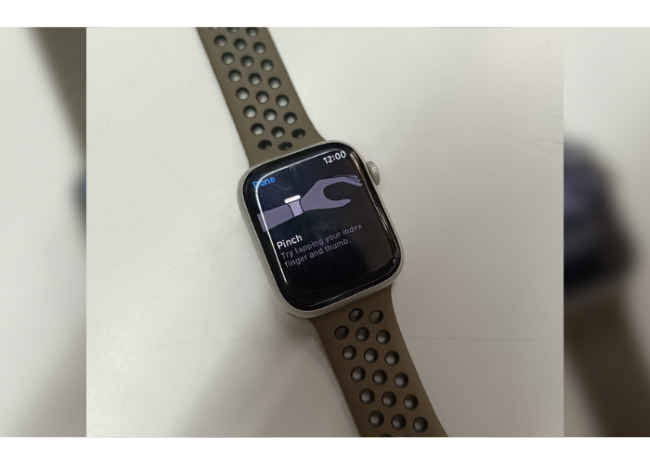
Step 1: Open the Settings app on your Apple Watch.
Step 2: Find the Accessibility option by scrolling down and tap on it.
Step 3: After that tap on AssistiveTouch and enable it.
Step 4: Then select the Hand Gestures option and enable it to turn on the feature.
Now, you will see a list of four hand gestures on the screen that the Apple Watch recognises. The four hand gestures that the AssistiveTouch capability recognises are: Pinch, Double-pinch, Clench and Double clench.
At Digit, we tested out these hand gestures on Watch Series 8, and they worked well.
Also read: Apple iPhone 15 Series: What You Need to Know Before You Buy
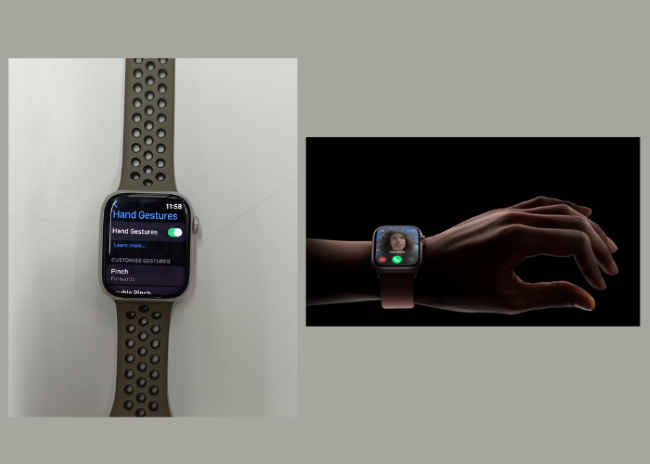
AssistiveTouch originally emerged as an accessibility feature, designed to empower individuals who face challenges in physically interacting with their Apple Watch's touchscreen. This feature enables users to operate their wearable device using the same hand they are wearing it on. It extends its functionality beyond mere double-tapping, incorporating various hand gestures like a single tap using the pointer finger and thumb, and fist clenching once or twice.
Meanwhile, the double-tap feature on Apple Watch Series 9 and Ultra 2 serves as a versatile control mechanism. This double-tap gesture allows users to manage the primary button in an app so it can be used to stop a timer, play and pause music, or snooze an alarm. The gesture can be used to answer and end a phone call, and even to take a photo with the Camera Remote on Apple Watch. This double tap gesture is enabled by the faster Neural Engine in Apple Watch Series 9, which processes data from the accelerometer, gyroscope, and optical heart sensor with a new machine learning algorithm.
from Wearable Devices News https://ift.tt/yLkgCpD
Comments
Post a Comment