Samsung Galaxy Watch 6 series is expected to launch on July 26 at the Galaxy Unpacked event. Ahead of the event, we have leaks revealing key specs and the design of the watches. Yes, there could be a Galaxy Watch 6 and a Galaxy Watch 6 Classic. No Pro moniker this time around, it seems. The Classic model is what we are more excited about because of the rumour that it may have a physical rotating bezel.
As long-time Galaxy Watch buyers would know, some previous models like the Galaxy Watch4 Classic, Galaxy Watch 3, Galaxy Watch, and Gear S3 Frontier had physical rotating bezels. Meanwhile, some like the Galaxy Watch Active, Galaxy Watch Active2, Galaxy Watch 4, and Galaxy Watch 5 all have a software-based touch bezel.
Also Read: Samsung Galaxy Watch 4 Review: Must-have for fitness enthusiasts with a Samsung phone
Why the love for a physical rotating bezel?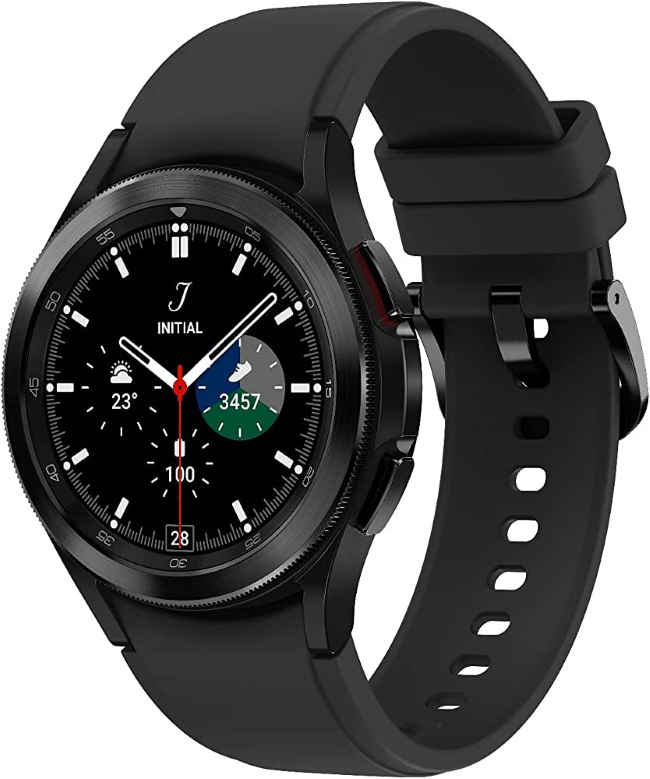
Galaxy Watch 4 Classic
The physical bezels offer better tactile feedback because of the mechanical clicks. The software hasn’t been able to match the same feel. Plus, there could be false rotations or clicks on the touch bezel, which may irk the user.
Also, the touch bezel, in my experience, was mostly disabled on the Galaxy Watch 5 series and one may forget to enable it from the settings menu.
Also Read: Samsung chief teases everything that will be unpacked on the big July 26 event
The physical bezel adds to the character of the watch. Many traditional luxury watches like certain Rolex models have this feature. Not just for aesthetic reasons but allow the wearer to track time differences and elapsed time, and measure performance in diving and racing activities.
On the Galaxy watches, the uses have been more for controlling the UI. Here’s how:
Uses of rotating bezels on Galaxy smartwatches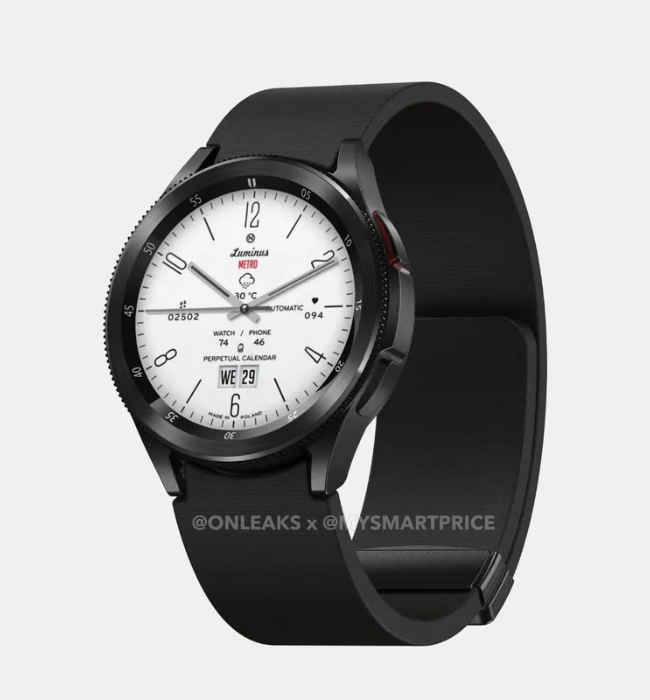
Galaxy Watch 6 leaked renders (Credis: OnLeaks)
You could move the bezel clockwise or counterclockwise to do the following:
1. Scroll through the app drawer and widget tiles
2. Control the brightness of the screen
3. Answer or reject a call.
Also Read: Samsung Galaxy Watch 3 Review: Premium option for Android users
4. Stop or snooze an alarm
5. Increase or decrease the volume
Let’s see if the Samsung Galaxy Watch 6 Classic in fact brings this feature, and how it implements it this time around.
from Mobile Phones News https://ift.tt/QmlZuAK
Comments
Post a Comment