Mobile gaming is such a lucrative business that even the phone lockscreen doubles as a playing field. One of the leading players in this field is Glance which has garnered more than 75 million monthly active users on its gaming platform named Nostra. It projects monumental user acquisition of 200 million by 2024. The company is aiming for 1000 games across 15 top categories from major developers and publishers across the globe. Intrigued? Here is how Glance Gaming works and how you can play games on the phone lockscreen.
How to enable Glance on your phone lockscreenGlance comes preinstalled on select phones from Xiaomi and Realme currently. We have also come across this feature on phones from other brands too.
By default, this comes across as an automatic wallpaper changer for your phone lockscreen. In the case of Xiaomi phones (wherein we tested it primarily), you can access its settings within Settings > Lockscreen> Glance for Mi. You may find it under a different name called Wallpaper Carousel on some other brands’ phones.
Also, note this is mostly found in low-end to mid-range phones.
Anyways, once you enable Glance, you will see different wallpapers and other content on the lockscreen every time you click the power button. Tapping on the wallpaper or content piece, you will get the option to read further or watch a video about the subject.
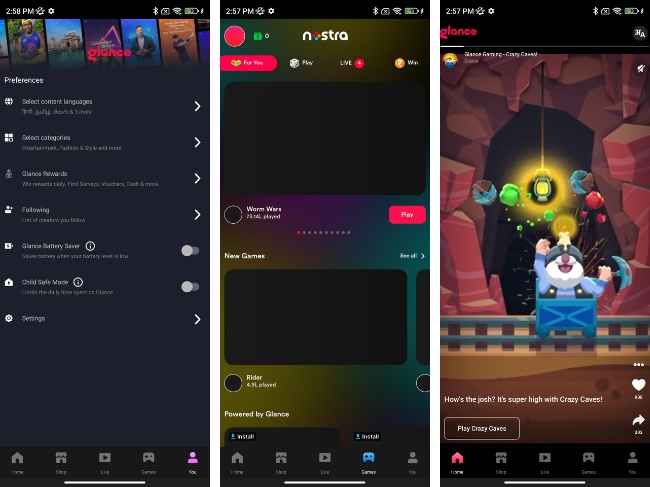
Towards the bottom of the screen, you get the button to access Glance preferences and settings. Here, you can choose the content categories you like to subscribe to. Only the selected category content will be displayed on your lockscreen going forward.
Right swiping on the lockscreen takes you to a store of sorts, wherein you see different sections such as "Home," "Shop," "Live," "Games," and "You”.
How to access Nostra or Glance Gaming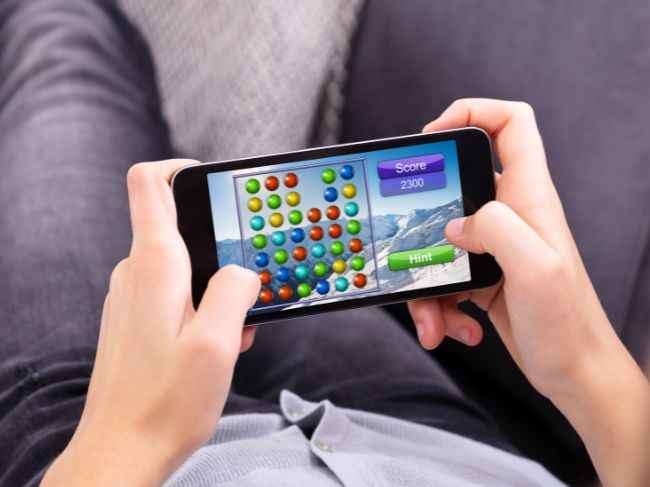
Going to the gaming section (called Nostra) within the Glance Store takes you to a massive library of games that don’t require long installation. You can tap a game and in a moment, start playing, even without opening the lockscreen.
The brand wants you to try Android games first on the lockscreen and if interested, you can download them onto your device.
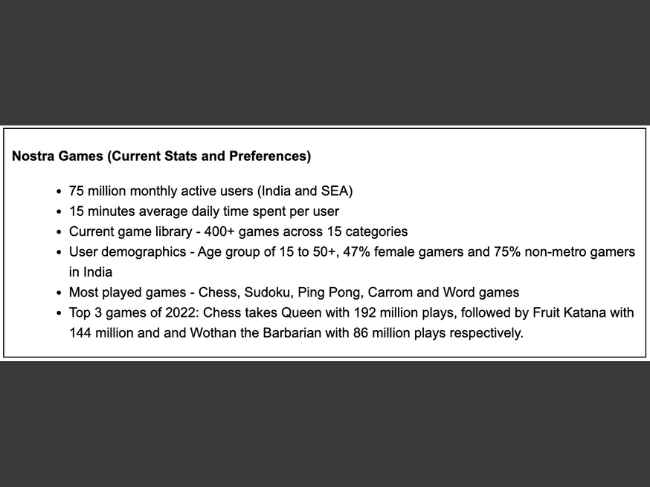
Source: Glance
As Piyush Shah, President and COO of Glance highlights, “the top three games on Nostra were played a whopping 423 million times on Glance lock screen”. He adds, “They clocked over 470 million hours watching game streams in 2022. We plan to take Nostra’s proposition that users clearly love global and aim to reach over 200 million monthly active users in the next two years on the back of Glance lock screen and several other device partnerships”.
from Gaming News https://ift.tt/1qe5mDv
Comments
Post a Comment