It might feel like the end of an era for some internet users as Microsoft is finally shutting down Internet Explorer desktop app on June 15, 2022. The veteran browser was launched in 1995 and for the past 27 years, it has been in the public conscience, often the butt of jokes on how slow or outdated it is compared to the competition. It was at its peak of popularity in 2003 with a 95% usage share. But then better browser alternatives came into the scene and it took a backseat.
So, let’s take a look at those best browser options that are available on major platforms and you can expect more features, performance gains, power efficiency, and better security from them.
Best Browser Alternatives To Internet Explorer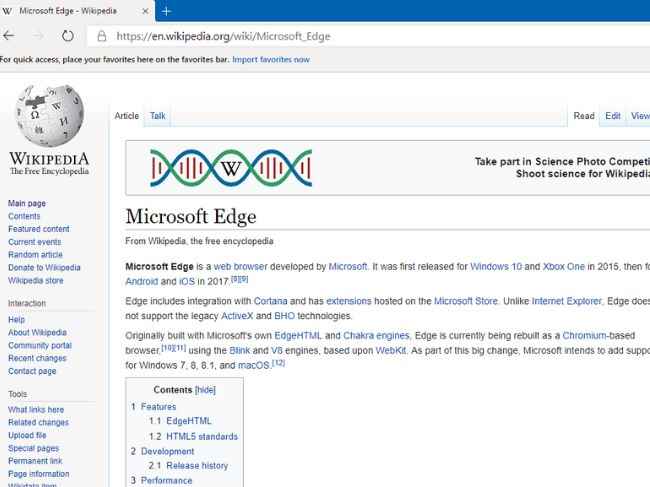
1. Chrome
Chrome would be undoubtedly the most popular browser on the list. Why wouldn't it be as it comes pre-installed in many Android phones, and is a pretty reliable and powerful browser with plenty of themes and extensions for customization?
2. Firefox
Firefox is the browser to go if you love to tinker with extensions and personalize your browsing experience. Even some things like the Ublock Origin adblocker tend to work better on Firefox. You can go to their add-on store and try out the plethora of plugins. It’s also less power-hungry than Chrome.
3. Safari
Safari is the default and exclusive browser for Apple devices and offers better integration with iOS, macOS, and iPadOS. It is more power-efficient than Chrome and comes packed with a sufficient number of features. In our experience, the plugin library pales in comparison to Chrome Store and Firefox Add-on store.
4. Edge
Edge is based on the Chromium engine and hence feels a lot like Chrome (with Chrome extensions support) but with Microsoft’s own skin and some added features on top. Occasionally, it might feel rough around the edges but it’s bearable as compared to the host of features it carries. Also, since it comes built-in on Windows, you don’t require installing anything else. That’s a big plus in our opinion. Moreover, It is your best bet for legacy support against websites, applications, and ActiveX controls.
5. Vivaldi
Go with this one, if you want the most amount of features for personalization including navigation UI, shortcut controls, simultaneous multi-tab viewing, etc. On top of all these, there is support for Chrome extensions that is simply icing on the cake.
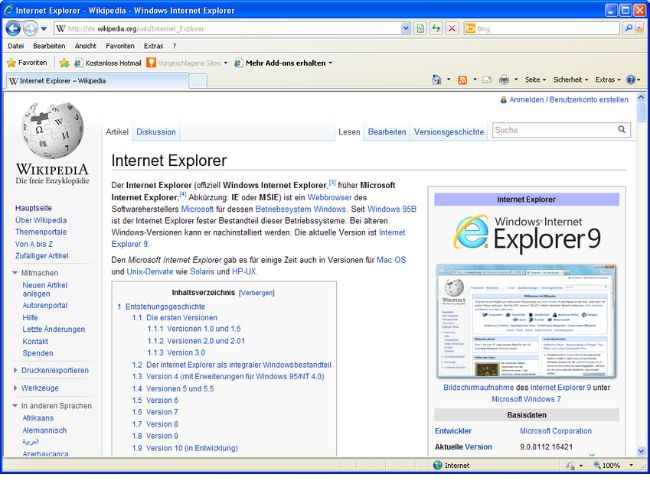
While commenting on the retirement of IE, Microsoft Edge programme manager Sean Lyndersay said, "Internet Explorer mode ('IE mode') is incorporated into Microsoft Edge, allowing you to view older Internet Explorer-based websites and applications directly from Microsoft Edge. With Microsoft Edge capable of taking on this and other responsibilities, the Internet Explorer 11 desktop application will be discontinued and phased out of support for certain versions of Windows 10 on June 15, 2022".
As for other news, reviews, feature stories, buying guides, and everything else tech-related, keep reading Digit.in.
from General News https://ift.tt/LGbf1zH
Comments
Post a Comment