Google has rolled out the Developer Preview 2 of Android 13 and even though most of the changes are meant for developers, there is this new notification system that would notify you of apps that consume a large amount of battery. This would be applicable to all apps on Android 13, regardless of the target SDK version. Besides, there is also a system notification for long-lasting foreground services of apps.
Android 13 System Notifications for Excess Battery Use
So, there are warning for both excessive battery use and long-running foreground services.
The excessive background battery use notification will be triggered if the app drinks more than its fair share of battery juice in the background in a 24-hour window. You don’t want that and now you’ll know. To decide if it’s unusually high, the system takes into account the following factors:
Foreground services, even those that have visible notifications Work tasks, including expedited work Broadcast receivers Background services Your app's cacheAs for developers, Android 13 has shared the rules for when the system can put their apps into a “restricted” zone and what the app can do while in this state. These are guidelines are called ‘battery-preserving measures’.
Devs are to note that the notification pertaining to Background battery use once shown will then be shown after at least 24 hours later. As for the one related to the foreground service, the notification asks the user to take a look at the Foreground Services (FGS) Task Manager and perhaps even take some action. This particular notification will thence be shown at least 30 days later.
However, not all apps will be governed by these rules. The exemptions include:
System apps and system-bound apps Companion device apps Apps running on a device in Demo Mode Device owner apps Profile owner apps Persistent apps VPN apps Apps that have the ROLE_DIALER role Apps that the user has explicitly designated to provide "unrestricted" functionality in system settings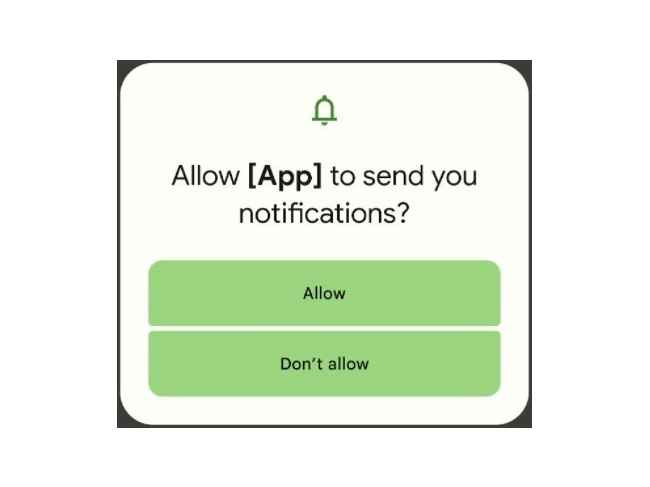
Android 13 Notification Permission Request
Other than this battery-related setting, Android 13 also wants developers to seek permission for sending notifications, auto-downgrade previously user-granted permissions that aren't required anymore, support for Bluetooth LE, support for MIDI 2.0, a smooth At-a-Glance transition animation, freeform multi-window mode by default, and a new taskbar for Android on large-screen devices.
We will keep you posted on other Android 13 related updates. Till then, keep reading Digit.in for more such news, reviews, feature stories, buying guides, and everything else tech-related.
from Mobile Phones News https://ift.tt/jIdaYFz
Comments
Post a Comment