Microsoft has officially launched Windows 11, the next version of its operating system, six years after Windows 10. It will be provided as a free upgrade to existing Windows 10 users sometime later this fall. Microsoft has redesigned Windows 11 with tons of new features and personalization options. Moreover, the company has optimized Windows 11 for touch-based interactions on 2-in-1 devices and more. Windows 11 also supports Android apps through its revamped app store.
Microsoft has upgraded the start menu on Windows 11, the taskbar now has centrally arranged icons and we get all new widgets. Windows 11 is also optimized to deliver powerful PC gaming experiences through features such as DirectX 12 Ultimate, DirectStorage API, Auto HDR and support for Xbox Game Pass with over 100 PC games.
New Start Menu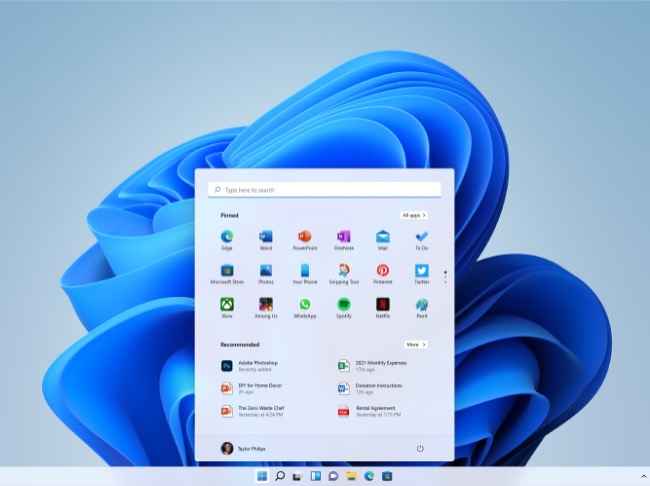
Microsoft has designed Windows 11 to give it a modern look and feel that seems very minimalist and simple. The Start button is now in the centre of the taskbar and shows the apps installed on the PC in a grid layout. It is also integrated with Microsoft 365 and cloud to pull your most recent files and display them in the start menu.
Snap Layouts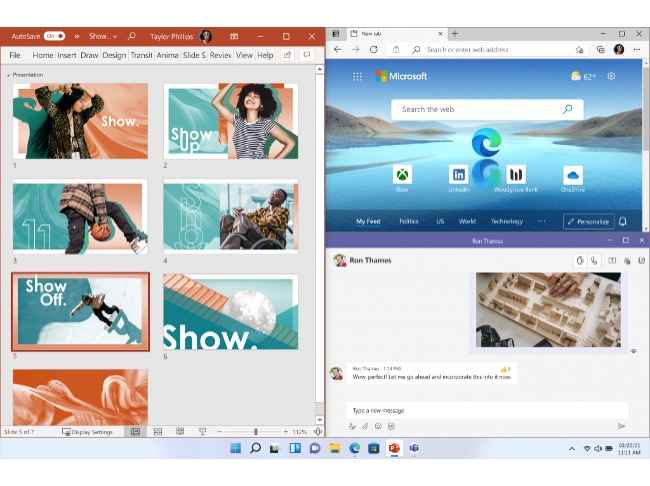
With Windows 11, Microsoft has introduced Snap layouts, groups and desktops for increased productivity and ease of use. The Snap layout will let you arrange the windows for multitasking and you can have as many as four different apps opened simultaneously to fit the screen. The Snap desktop allows users to have multiple desktops, each with its specific set of customizations. So, you can have a desktop for work and another one for gaming or entertainment.
PC gaming redefined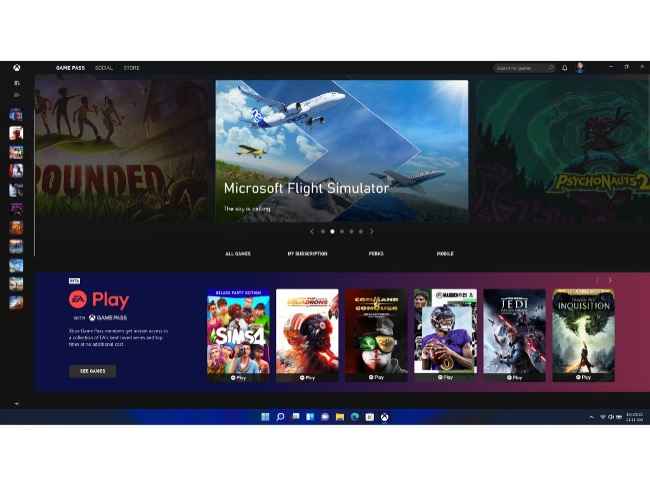
Microsoft has optimized Windows 11 to provide enhanced gaming experiences with features like DirectX 12 Ultimate that enables great graphics at higher frame rates. There’s support for DirectStorage API that allows games to load faster and Auto HDR for an immersive gaming experience with vivid visuals. Windows 11 also has Xbox Game Pass which gives access to over 100+ games.
Widgets and personalized feed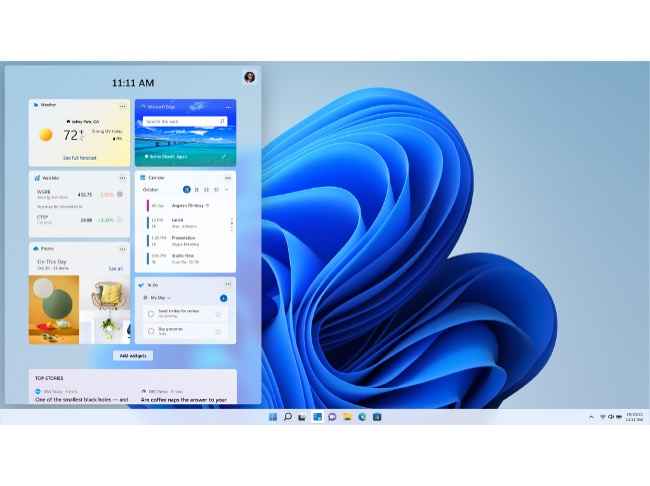
Windows 11 has added new widgets and an AI-backed personalized feed that slides across the screen with a transparent background. You can check up on news, weather or notifications from this feed and add or remove widgets as per your preference. Microsoft also believes that widgets open up a new avenue for creators and publishers to deliver personalized content across Windows 11.
Android apps now on Windows 11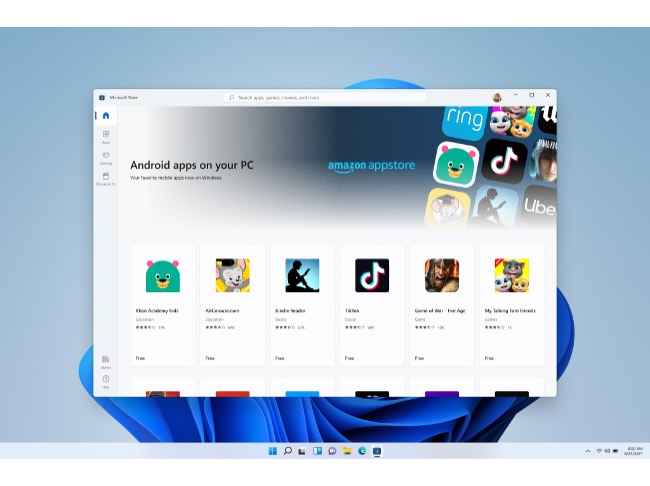
Microsoft has redesigned the app store with a clean UI that goes along with the rest of the Windows 11 design. The new app store offers curated recommendation of apps, games, TV shows, movies and more. Some of the first-party and third-party apps include Disney+, Adobe Creative Cloud, Zoom, Canva, Visual Studio and Microsoft Teams.
Furthermore, Android apps are coming to Windows 11 with Amazon Appstore that is built into the Microsoft Store. So you can use apps like Khan Academy, Kindle and more. This is made possible with Intel Bridge Technology and Microsoft’s partnership with Amazon and Intel.
Improved touch interactionsMicrosoft has improved touch-based interactions in Windows 11 for when you use it on a tablet or a 2-in-1. There is more space between icons on the taskbar, visual cues that make resizing and moving windows easier and gestures that are an extension of the gestures on the trackpad.
Windows 11 also supports voice commands and can recognize punctuations for you. This comes in very handy for when you do not want to type and can just dictate the words to Windows 11.
Microsoft Windows 11 availabilityWindows 11 will be rolled out as a free upgrade to Windows 10 users starting the holiday season later this year. Microsoft will release an early build of Windows 11 for its Insider program next week.

from General News https://ift.tt/2Uz6tbg
Comments
Post a Comment