We’ve all been there, sitting in the dark just scrolling endlessly through a cascade of movies and TV shows on Netflix. Sometimes, it’s incredibly hard to pick what to watch on a streaming platform. With the endless amount of movies, shows and content on the various platforms, sifting through it all can be a little overwhelming. This is why Netflix has now rolled out its ‘Play Something’ feature for TVs and living room devices, globally. This means that the feature is not yet available for mobile devices or browsers. If it’s actually popular, then we could see it on other platforms. We earlier reported that Netflix was testing out a shuffle feature and this could be the final version of it.
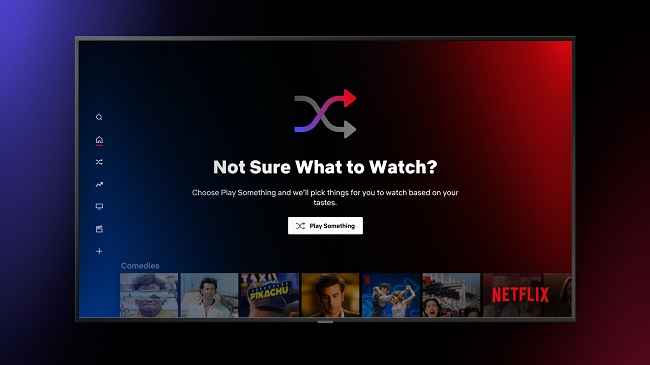
The feature works by combing through your profile for movies and shows you have watched and then recommends personalized content. If you don’t like what’s been suggested, there’s a ‘Play Something Else” button that will take you to the next show or movie. Think of it like the early days of cable TV where the content was fresh and new and you always landed on something cool while channel flipping. In a blog post, Director of Product Innovation, Cameron Johnson stated that “When finding your next story, let the story find you. Whether you’re in the mood for a new or familiar favourite, just ‘Play Something’ and let Netflix handle the rest. Easy.”.
The Play Something button can be found on the profile selection screen, under your name. It will also be available on the Navigation menu as well as the tenth row of your personal Netflix homepage. The feature will also support Text-to-Speech functionality and can be set up on Netflix’s Accessibility page.

from Latest Technology News https://ift.tt/3gO9j5m
Comments
Post a Comment