In the past few months, Google has been slowly but steadily equipping many of its smartphone apps with a dark theme in order to complement the system-wide dark mode that was introduced in the latest version of Android and iOS a couple of months ago. The latest app in Google’s long list of productivity apps to get dark mode is Gmail. You can enable dark mode in Gmail right now if your phone is running Android 10. Oh, and it also works on Apple devices running iOS versions 13, 12, and 11.
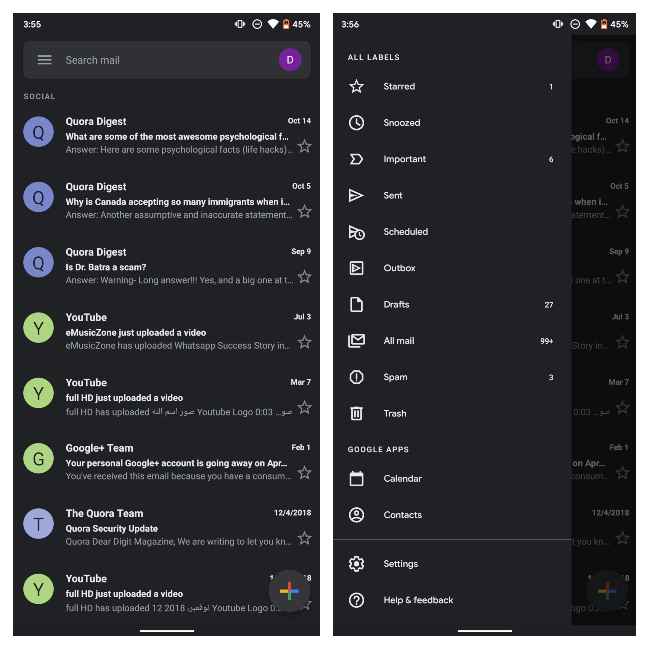
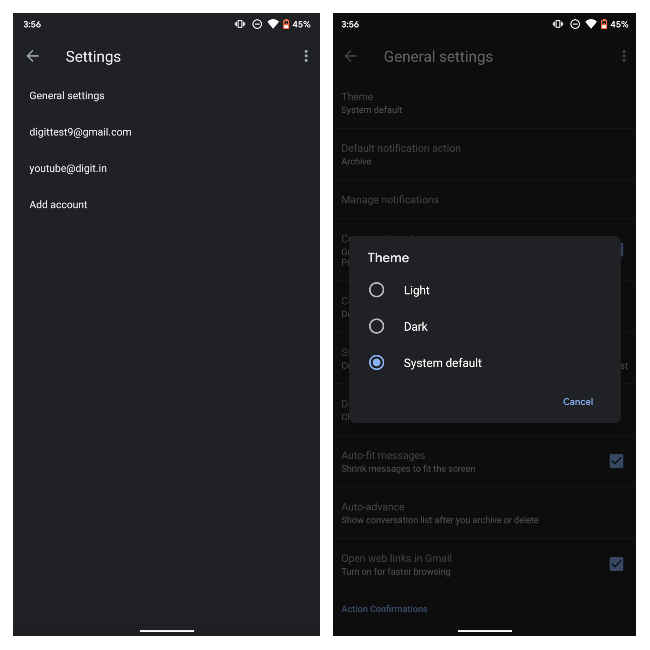
If you’re on a phone that’s running Android 10, which is the latest version of Google’s popular mobile operating system, the dark mode feature will be enabled automatically in Gmail if dark mode is turned on at a system-level (i.e., in system settings). If not, you can always enable it manually by pulling out the hamburger menu in the app, scrolling all the way down to tap Settings, visiting General settings, and finally selecting Theme. It’s the first item in the list. ‘System default’ is the default option but you can always override it.
The steps to switch over to the dark side are similar in iOS. If you have the dark theme enabled at a system level on iOS 13 (i.e., in Settings > Display & Brightness > Appearance), then you should see Gmail appear in a dark theme the next time you launch it. If you want to enable it manually within the app, you can open up the hamburger menu from the top left corner, tap Settings, tap Theme, and then select Dark. It’s the same process if you’ve got an Apple device running iOS 12 or 11.
Since Google is still in the process of updating the Gmail app for Android and iOS, there’s a chance you’ll be forced to wait for a couple of days before getting to use dark mode. If your phone isn’t running Android 10, then the wait to see a manual dark mode option will be longer still as Google hasn’t mentioned anything about dark mode in Gmail for Android 9 Pie and older in its G Suite blog post. Instagram, by the way, received dark mode support on iOS 13 and Android 10 earlier this month. You can read more about that here.

from Latest Technology News https://ift.tt/2WrBkmP
Comments
Post a Comment