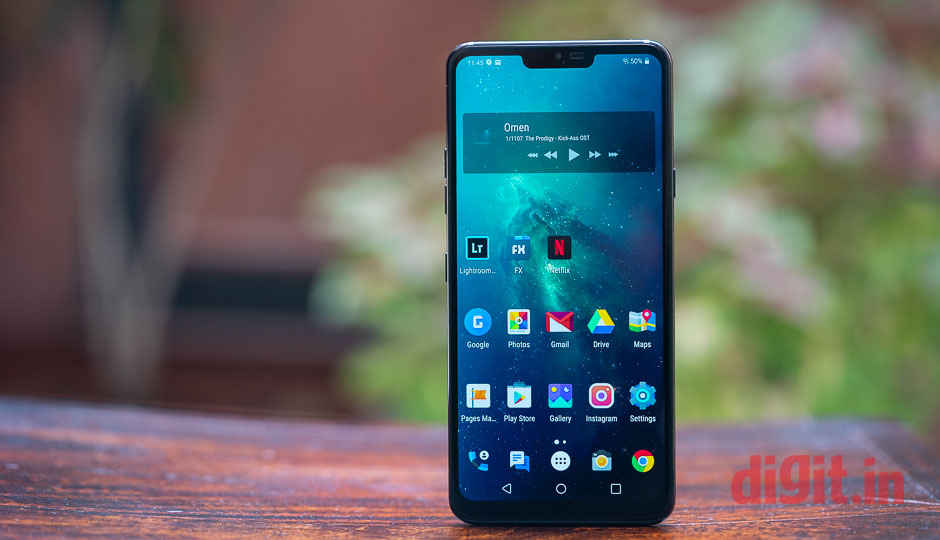
 Highlights: LG G7 ThinQ will get the Android Pie update in Q1 2019 in South Korea The update may come to other countries in the Q2 It will bring performance-related upgrades LG has announced that it is working on an Android Pie update for the LG G7 ThinQ and according to a report, will start rolling out the stable version of the update in the first quarter of 2019 in South Korea. The report in mylgphones.com says that it assumed that it would release for other markets in the second quarter of the next year. The news comes after LG officially launched the Android 9 beta programme for the G7 ThinQ in November in South Korea. The update seems to be very important as LG has listed a number of performance-related issues that will be addressed with this update. This includes an improvement that rectifies the screen freezes when the FPS setting is repeatedly changed in the professional video mode of the camera app. It will also address an issue in which fingerprints are not recognised in some financial apps and pay apps after software update. So far, LG has not announced the Android Pie update plan for the LG V40 ThinQ, though, it said that the upcoming update for the flagship would bring PentaShot feature on camera and parking assistant function and subway notification function in the context awareness setting, among others. According to the report, LG is also testing the firmware for LM-G820N, which is said to be the model number of the LG G8. The LG G8 is expected to launch with Android Pie out-of-the-box. LG G7 ThinQ Specifications The LG G7 ThinQ comes wrapped inside a glass with Corning Gorilla Glass 5 display protection. The handset features a 6.1-inch QHD+ FullVision Super Bright Display. The display is said to have a maximum brightness of up to 1,000 nits. It offers a 19.5:9 screen to body ratio. The smartphone is IP68 dust and water resistant. The LG G7 ThinQ comes with a rear-mounted fingerprint scanner and there is also a dedicated Google Assistant button on the device. Tapping the button once will launch the Google Assistant, while tapping it twice will bring up Google Lens. The phone includes Super Far-Field Voice Recognition (SFFVR) technology and is also equipped with “Boombox Speakers”, which are said to deliver 10 times louder audio, in comparison with standard phones. The LG G7 ThinQ is powered by the Qualcomm Snapdragon 845 SoC with 4GB RAM and 64GB internal storage. Storage on the phone can be expanded up to 2TB. The phone is backed by a 3,000mAh battery and runs Android 8.0 Oreo. In terms of optics, the LG G7 ThinQ is equipped with a dual 16MP rear-camera setup with one standard lens of f/1.6 aperture and another 16MP Super Wide Angle sensor with f/1.9 aperture. On the front, it is equipped with an 8MP wide-angle camera with f/1.9 aperture and an 80-degree lens. The LG G7 ThinQ is equipped with a Hi-Fi Quad DAC and also supports DTS:X to deliver virtual 3D sound for delivering up to 7.1 channel audio with earphones, has a face recognition and HDR10 support on the device. Related Read: LG G7 Plus ThinQ Review LG G7 ThinQ, G7+ ThinQ launched
from Latest Technology News http://bit.ly/2Ap41ac
Comments
Post a Comment