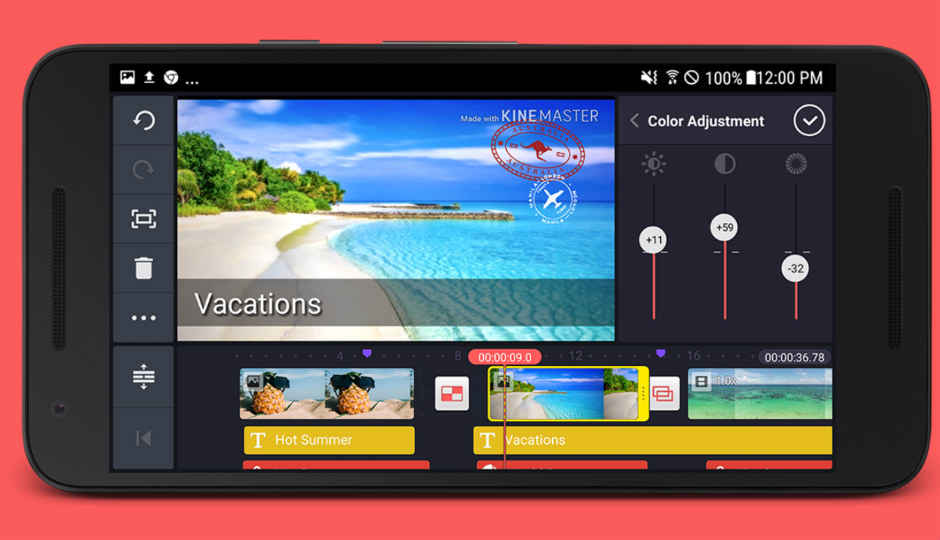
 Basic video editing when on the go and without a laptop, can also be done on a smartphone. However, selecting an app from the plethora of available options can be a daunting task. While there are some apps that are powerful enough to handle multiple timelines, effects and transitions, these can prove difficult to use. On the other end of the spectrum, there are apps that can pump edited videos automatically with a few taps and tweaks. It can thus be difficult to choose an app that strikes the perfect balance between functionality and usability. To make this easier, here’s our list of some of the best video editing apps to try out on your Android and iOS running devices. Adobe Premiere Clip Adobe has a solution for editing videos on phones and it offers the general range of tools to do so. One can also automatically create videos by simply choosing a soundtrack and adding images to the mix or edit a video from the ground up. There’s a range of adjustments, transitions and effects to choose from. However, the best thing in our opinion is the ability to easily open an exported clip in Adobe Premiere Pro CC, in case one needs to polish the video further. Download Adobe Premiere Clip for Android and iOS KineMaster Pro KineMaster Pro is one of the most powerful video editing apps available on mobile devices. However, to unlock its full potential, users need to shell out some money. The app supports multiple layers of images, video, and text. Alongside basic cutting and trimming of videos, one will also be able to play around with multi-track audio, color LUT filters, 3D transitions, and more. Download KineMaster Pro for Android and iOS FilmoraGo FilmoraGo is a relatively lesser known app that is quite capable when it comes to video editing. It offers basic features like cut, trim, and render, along with some additional options like editing videos in a 1:1 square format for Instagram and 16:9 videos for YouTube. There’s also support for adding transitions, overlays, music, and more. The app is free to download with in-app purchases but even the free version, there is no watermark or time limit on exported videos and most of the features are free. Download FilmoraGo for Android and iOS VivaVideo While VivaVideo is categorised under video editing apps, it is more of a jack of all trades with image editing and some automated editing thrown in. It’s good when editing short videos for social media platforms and it enables users to load clips into a storyboard style. This means that one has to work on an imported clip and edit it, then move on to the next task. There are many additional features like filters, effects, text addition and tweaking speed of a video. It has a free version that will add watermark and impose a time limit to edited videos but there’s an option to pay and unlock pro features in the app. Download VivaVideo for Android and iOS Quik One doesn’t always need a complex video editing app to get the job done. Quik is a simple solution that enables a user to simply import some images and videos, and create a video out of it. The app automatically adds transition and effects to the background music, which can either be imported or selected from more than 100 already available free tracks. As GoPro is the apps’ developer, its original intent is to pull data from a compatible GoPro device and instantly create a video out of them. However, the formula also works well for someone who isn't well versed with video editing and doesn’t want to spend too much time on the process. Download Quik for Android and iOS PowerDirector (Android only) Only available for Android and Windows phone, PowerDirector by Cyberlink comes with a slew of features and options to assist in video editing. Alongside multiple track timeline, video effects, slow motion, reverse video and many more features, it is one of the rare apps to supports editing 4k videos. The app is even better on large screen devices like tablets, however, one will need to unlock additional features of the app. Download PowerDirector for Android Splice - Video Editor + Movie Maker by GoPro (iOS only) Splice is another app made by the GoPro team but this one is only available on iOS. Same as Quik, the app can be used to import videos and photos that get converted to videos automatically. One can also trim clips, adjust transitions, add slow-motion effects and do more with the app. It supports addition of title slides, text overlays and a custom outro as well, along with adjusting playback speed for fast or slow motion. Download Splice for iOS
from Latest Technology News https://ift.tt/2SjMNSc
Comments
Post a Comment