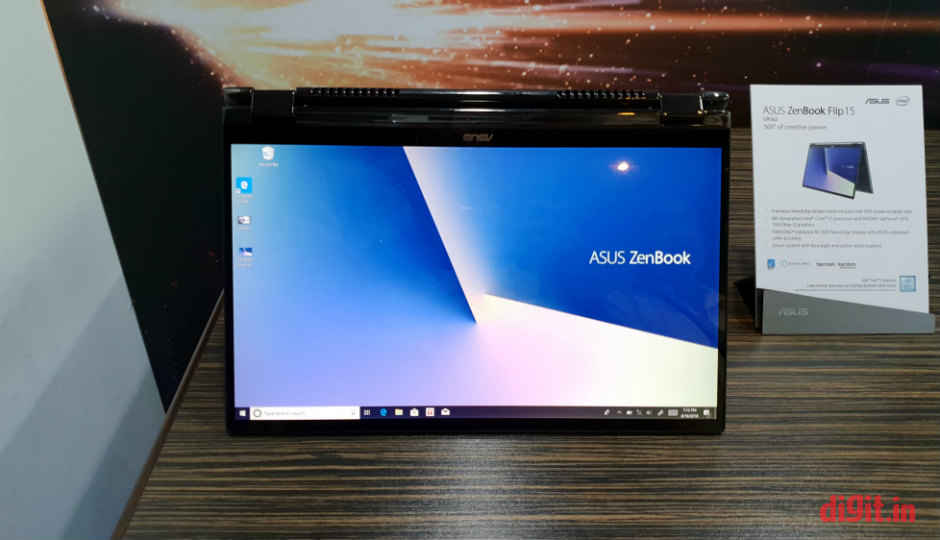
 Asus has announced an updated range of ZenBook Flip convertible laptops at IFA 2018 in Berlin, Germany. The updated range consists of the ZenBook Flip 13 (UX362) and the ZenBook Flip 15(UX562). The former features a 13.3-inch display, while the latter features a 15.6-inch display. What’s interesting is the way Asus has managed to carry on using the same screen sizes seen on previous models on a newer, more compact frame. To be specific, Asus has managed to reduce the laptop’s frame size by 10 percent. As the name suggests, this ZenBook’s display flips completely backwards to become a tablet. It can be placed in a laptop, tablet, and tent modes. What’s special about this convertible laptop is that it retains the ErgoLift hinge technology: it lifts and tilts the keyboard towards the user to offer a more comfortable typing angle when the display is opened beyond 135 degrees. The hinge has been torture-tested for up to 20,000 open-close cycles. Taking a look at the ports on the device, it’s got a full-size card reader slot, a USB port, and the power button on the left. On the right, it has the power port, a USB port, the audio jack, and a USB Type-C port. The top-end variant of the ZenBook Flip 15 is powered by an eighth-gen Intel Core i7 CPU and a Nvidia GeForce 1050 Max-Q GPU. You can choose between 8GB and 16GB of RAM. The screen is a 4K PANTONE-validated unit that has support for face login and a stylus. It also covers 100 percent of the colours in the sRGB colour space. The speakers are certified by Harman Kardon. The ZenBook Flip 13 comes with a new feature called NumberPad, which is essentially a touchpad that doubles up as a soft numeric keypad. The NumberPad sits inside the glass-covered Windows precision touchpad with support for multi-finger gestures and can be enabled or disabled with a touch of a soft key on the touchpad. According to Asus, the NumberPad can be used in “cruise” mode (to move the mouse pointer around) even without disabling the soft numeric keypad on the NumberPad as the firmware inside is capable of understanding the context of the user’s activities on the surface of the NumberPad. The ZenBook Flip 15, on the other hand, gives the innovative new NumberPad a miss as its frame is large enough to support a physical numeric keypad as a part of its keyboard. According to Asus, the NumberPad is a novel solution to the lack of a dedicated numeric keypad on small laptops.
from Latest Technology News https://ift.tt/2wtOm6Q
Comments
Post a Comment